NaviFin is in open beta. Try it free on Apple TV, Mac, iPad, and iPhone today. Join the beta on TestFlight →

NaviFin  ·  tvOS 26+

The Jellyfin client for Apple TV.

Watch your self-hosted Jellyfin library, movies, TV, music, and Live TV, directly on Apple TV 4K. A cinematic home with Continue Watching, tvOS Top Shelf, Skip Intro, and a hybrid AVPlayer + VLC engine that plays anything. Free in open beta on TestFlight today; launching as one $6.99 Universal Purchase that covers every Apple device.

Join the beta on iPhone, iPad, or Mac, then open the TestFlight app on your Apple TV and install NaviFin from there. At launch, one $6.99 Universal Purchase (planned price) will cover all Apple platforms.

Platform
Apple TV, tvOS 26+ (HD & 4K)
Price
$6.99 USD · one-time · Universal Purchase · planned launch price
Server
Your own Jellyfin server (v10.9+)
Distribution
Open beta on TestFlight · App Store coming soon
Version
1.0 (open beta) ·
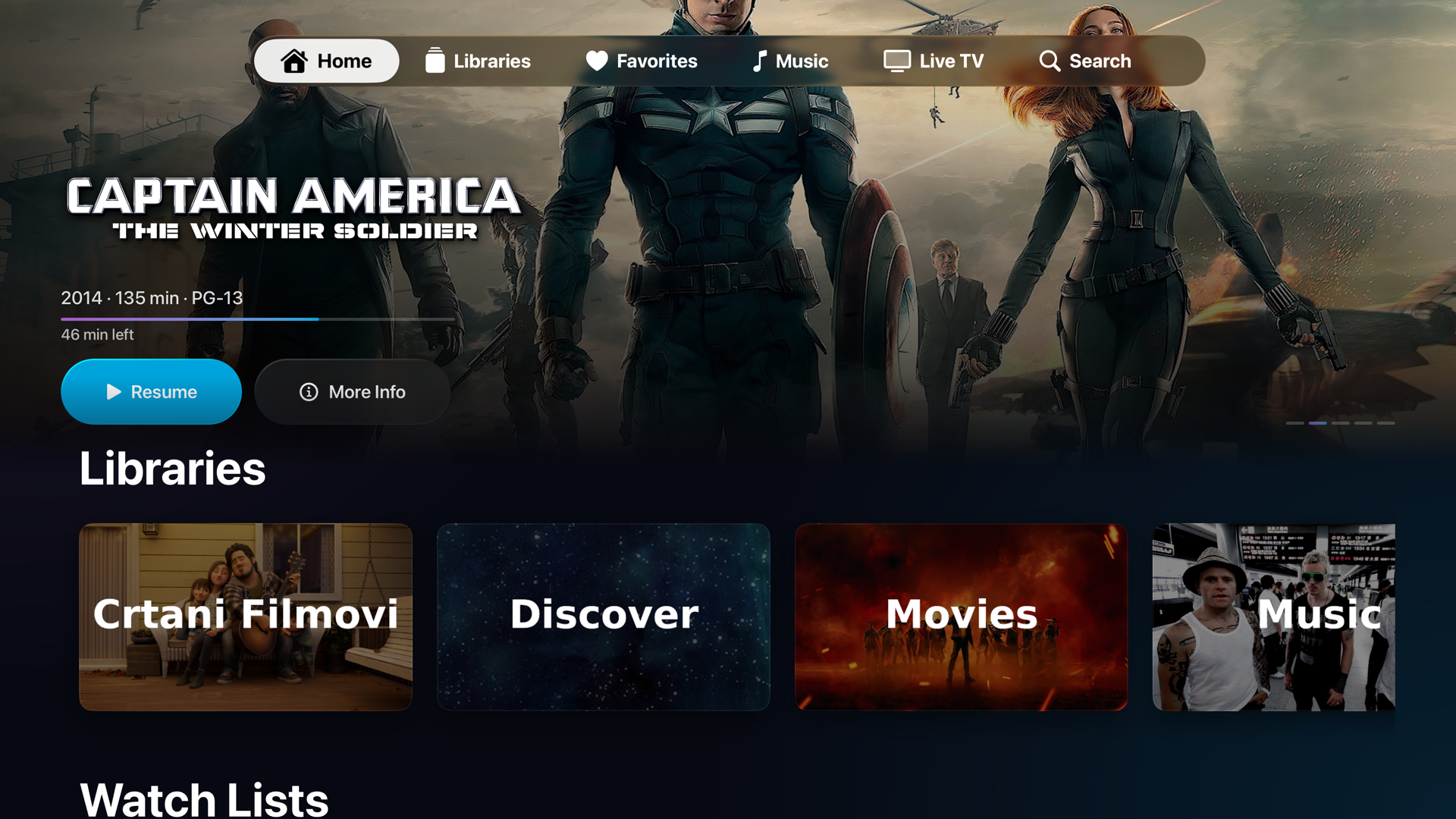
NaviFin Home screen on Apple TV 4K showing a cinematic backdrop hero, a Continue Watching row, and library shelves below.
  • tvOS 26+

    Apple TV HD & 4K

  • 0 SDKs

    No analytics. No trackers.

  • 2 engines

    AVPlayer + VLC · plays anything

  • $6.99 once

    Planned launch price · Universal Purchase

Every screen, built for focus

A full Jellyfin client on Apple TV, not a scaled-up phone app.

Everything you watch is here: Movies, TV shows, Music, Live TV, and your full library, with cinematic detail pages, cast and crew, and More Like This. Built from the ground up for the Siri Remote and the 10-foot interface.

NaviFin Home for Apple TV: cinematic backdrop hero with a Continue Watching row and library shelves.

01 / Home

Cinematic home, Continue Watching, Top Shelf.

The Home tab opens on a cinematic backdrop hero, followed by Continue Watching so you can pick up exactly where you left off, then your latest movies and episodes. Recently added titles also surface on the tvOS Top Shelf, right on the Apple TV home screen.

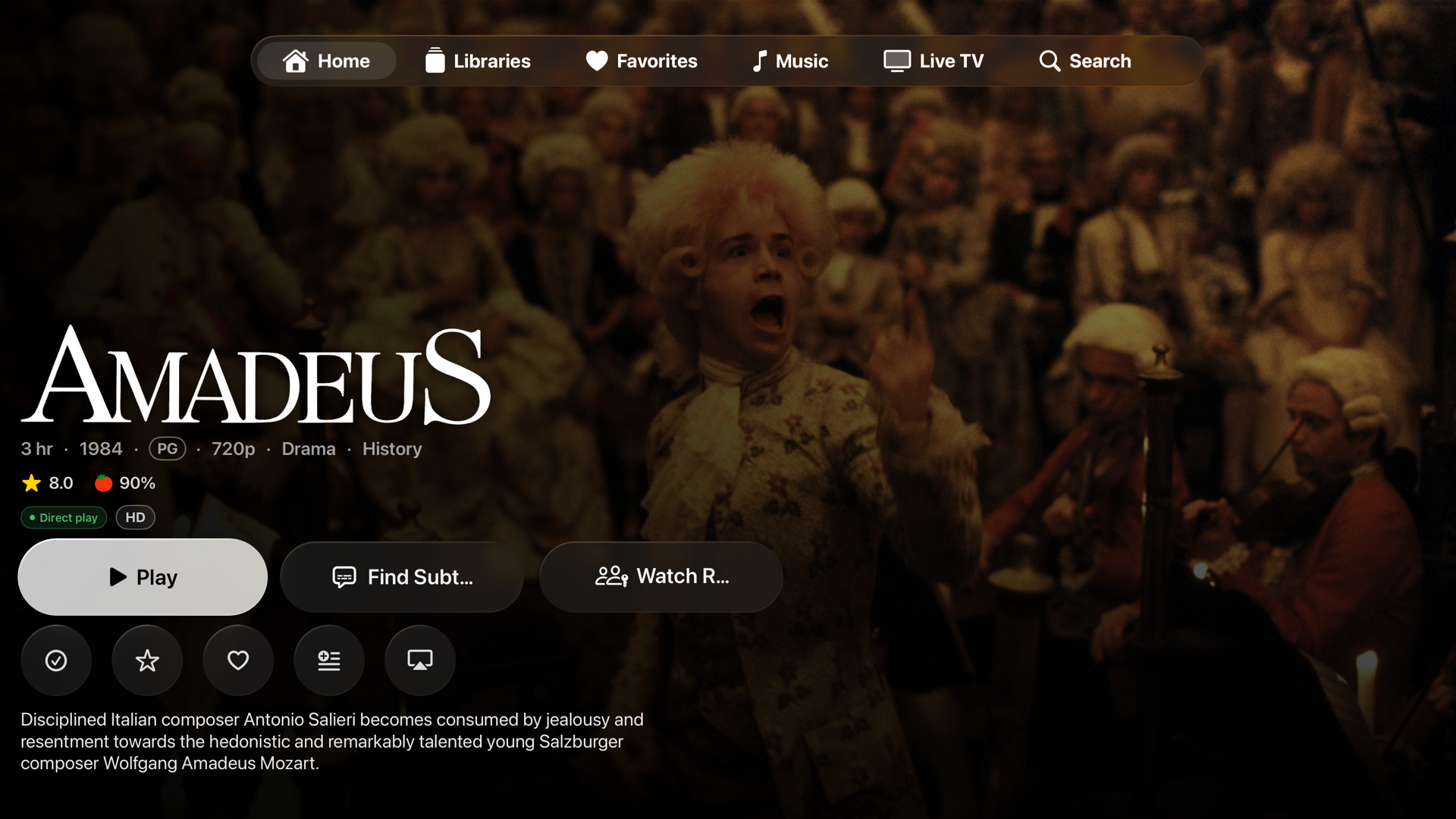
NaviFin movie detail page on Apple TV showing backdrop, synopsis, cast, and More Like This.

02 / Detail pages

Cast & crew, More Like This, the works.

Every movie and show opens a cinematic detail page: backdrop, synopsis, ratings, cast and crew, and a More Like This row to keep the night going. Resume, play from the start, or jump to any episode.

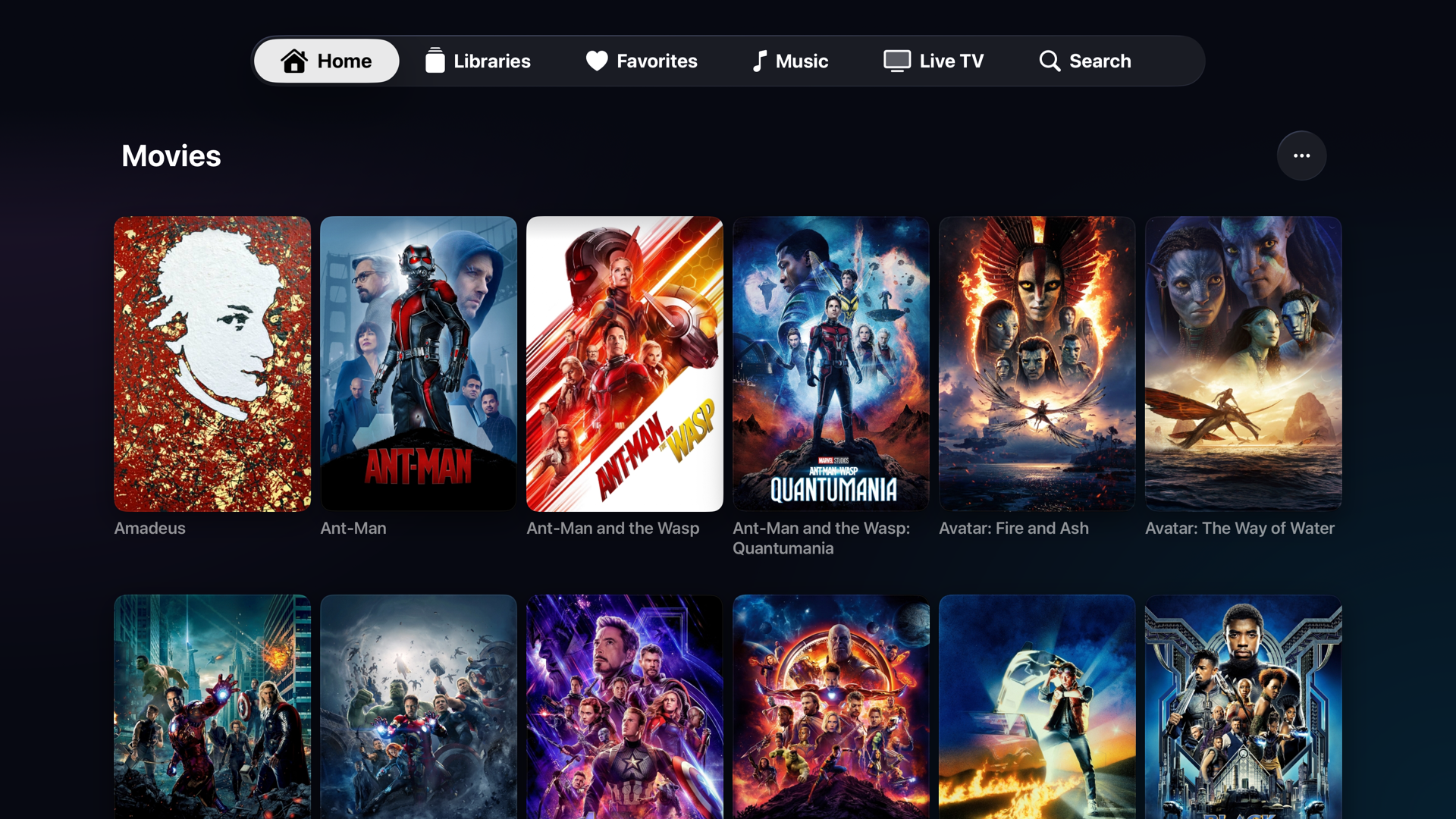
NaviFin library grid on Apple TV showing poster art across the collection.

03 / Library

Your whole collection, in focus.

Browse every Jellyfin library: Movies, Shows, Music, and more. Poster grids tuned for focus navigation, with sorting and filtering that mirror your server. Multi-server? Switch between Jellyfin servers from the sidebar.

NaviFin player on Apple TV with transport controls, subtitle and audio track options.

04 / The player

Subtitles, tracks, speed, Skip Intro.

A hybrid AVPlayer + VLC engine plays anything: MKV, HEVC, surround sound, embedded or external subtitles. Pick your subtitle and audio track, change playback speed, Skip Intro and Skip Credits, and let Next Up auto-advance the episode.

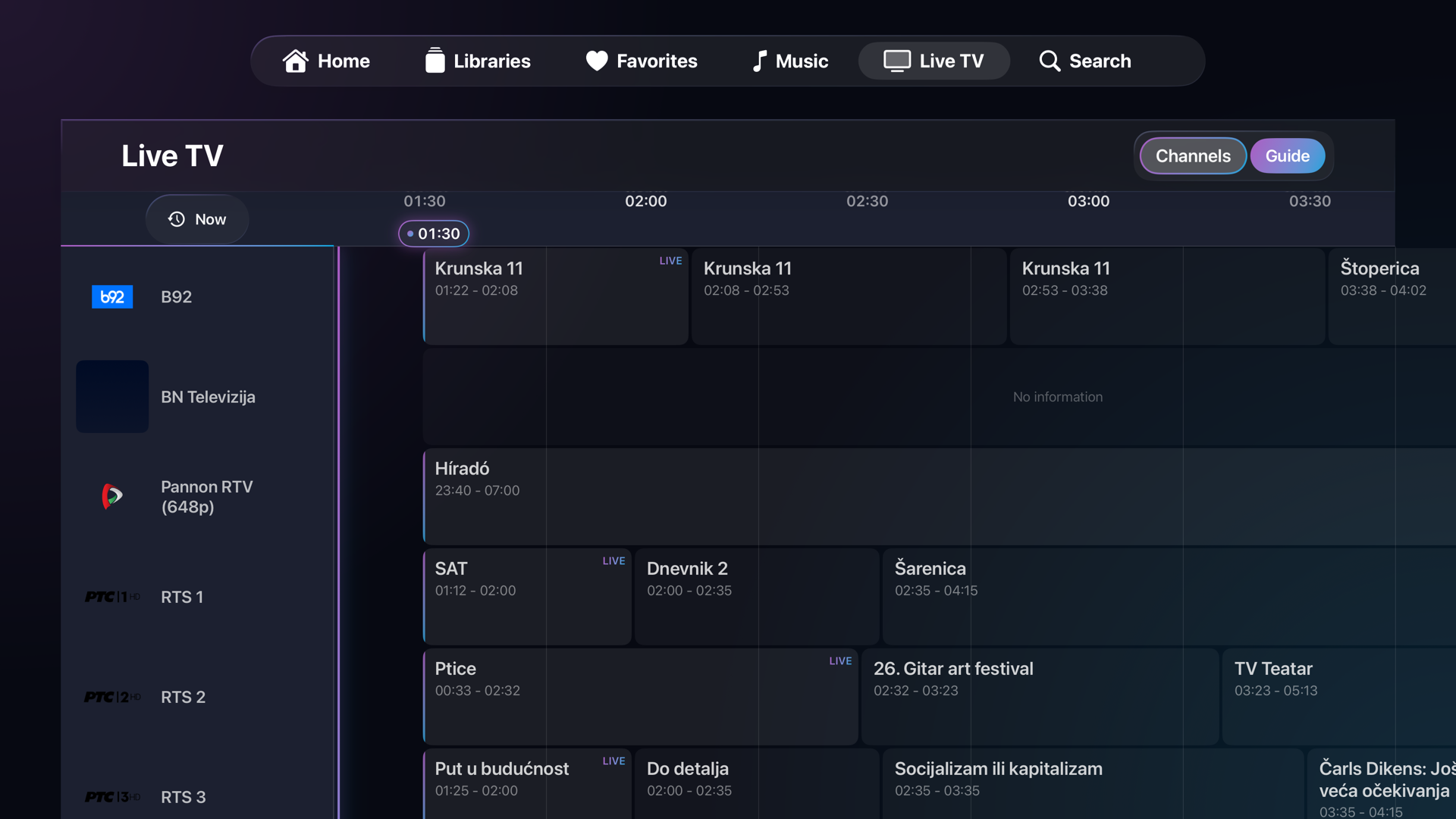
NaviFin Live TV on Apple TV with an EPG guide and channel list.

05 / Live TV

Channels, guide, and recordings.

If your Jellyfin server has Live TV, NaviFin shows the full EPG guide, channel list, and your recordings. Tune in with a press, browse what is on now, and queue up recordings, all on the big screen.

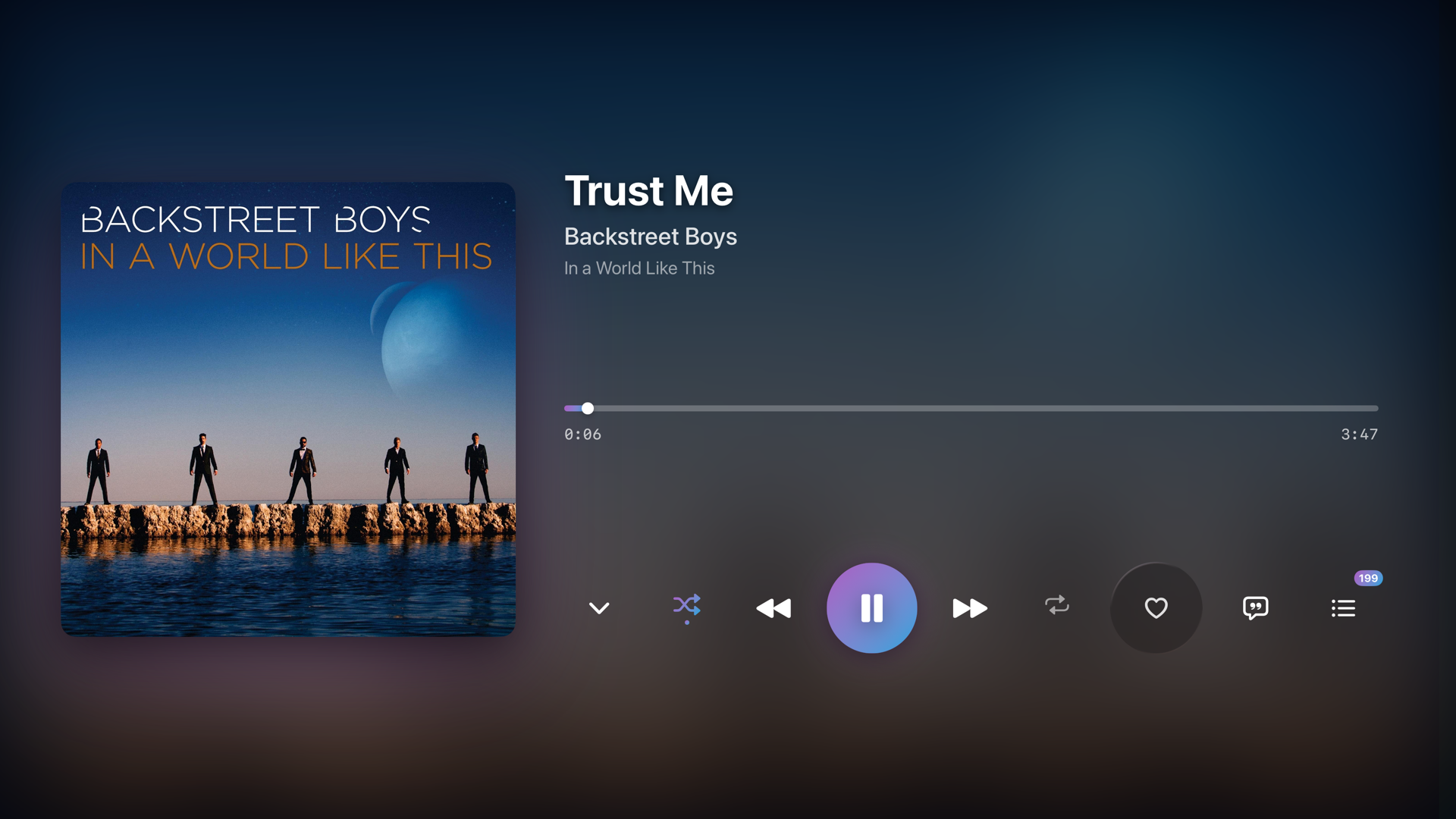
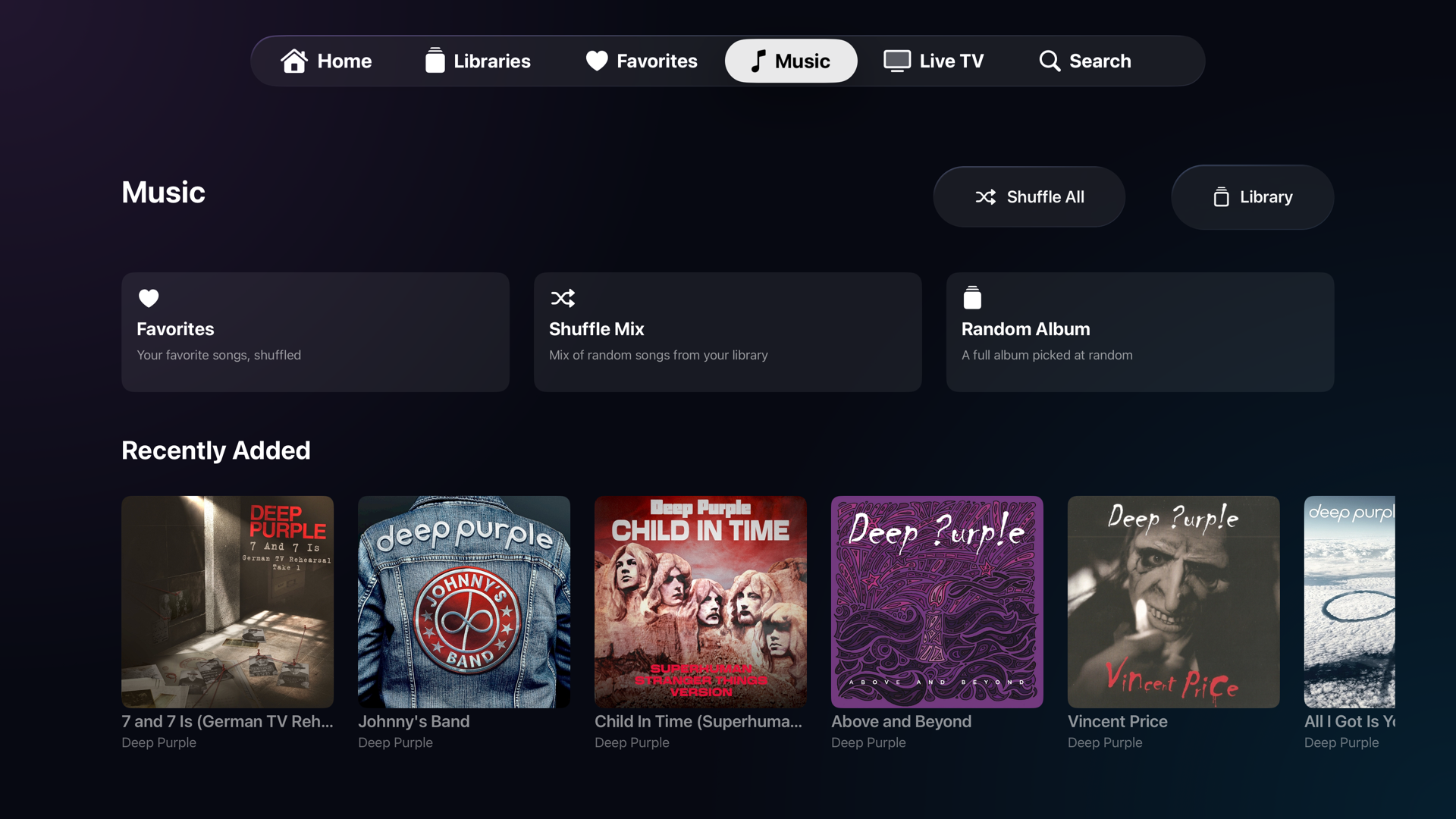
NaviFin Music on Apple TV with album art and Now Playing.

06 / Music too

A full music player on the TV.

NaviFin is video-first, but it plays your Jellyfin music as well: albums, artists, and playlists with full-screen Now Playing, queue, and background audio. One app for the whole living room.

All screenshots

Every screen in one place.

Home

Home: Continue Watching

Detail page

Cinematic detail page

Library

Library grid

Player

The player

Live TV

Live TV + guide

Music

Music

Planned launch price

One purchase. Every device.

$6.99

Apple TV, Mac, iPad, iPhone. Forever, once NaviFin reaches the App Store. The beta is free on TestFlight today.